
Screenshots
App details
- Version
- 2.0.0
- Size
- 94.10 MB
- Updated
- August 20, 2025
- Requires
- Windows 11
- Language
- English
- License
- Free
- Developer
- Cisdem Inc.
- Category
- Windows OS
SoftPas in:
This product is also available in the following languages:
About Cisdem Video Converter
Download Cisdem Video Converter – free video conversion, DVD ripping, editing tool
Overview
Cisdem Video Converter is a free multimedia utility built specifically for Windows users who need a reliable, all‑in‑one solution for handling video and audio files. Whether you’re looking to convert a handful of MP4 clips for a mobile device, rip an entire DVD collection for backup, or fine‑tune a home‑movie with basic editing tools, Cisdem aims to cover every stage of the workflow without requiring a steep learning curve. The software supports a broad spectrum of formats, from common containers like AVI, MOV, and MKV to more niche codecs such as FLAC, ALAC, and HEVC. Its built‑in downloader can pull media from more than a thousand online sources, ensuring that you can grab the exact version you need—whether it’s a high‑resolution music video or a podcast episode—while preserving original quality. Because it’s free, the program is especially attractive to hobbyists, educators, and small‑business owners who need a cost‑effective way to keep their media library organized and ready for any platform. Security is also a priority; the downloader works over encrypted connections, and the conversion engine runs locally, meaning no cloud‑based processing that could expose personal files. In short, Cisdem Video Converter blends conversion, DVD ripping, editing, and downloading into a single, lightweight package that can be installed in minutes and used without a subscription.
Key Features and Capabilities
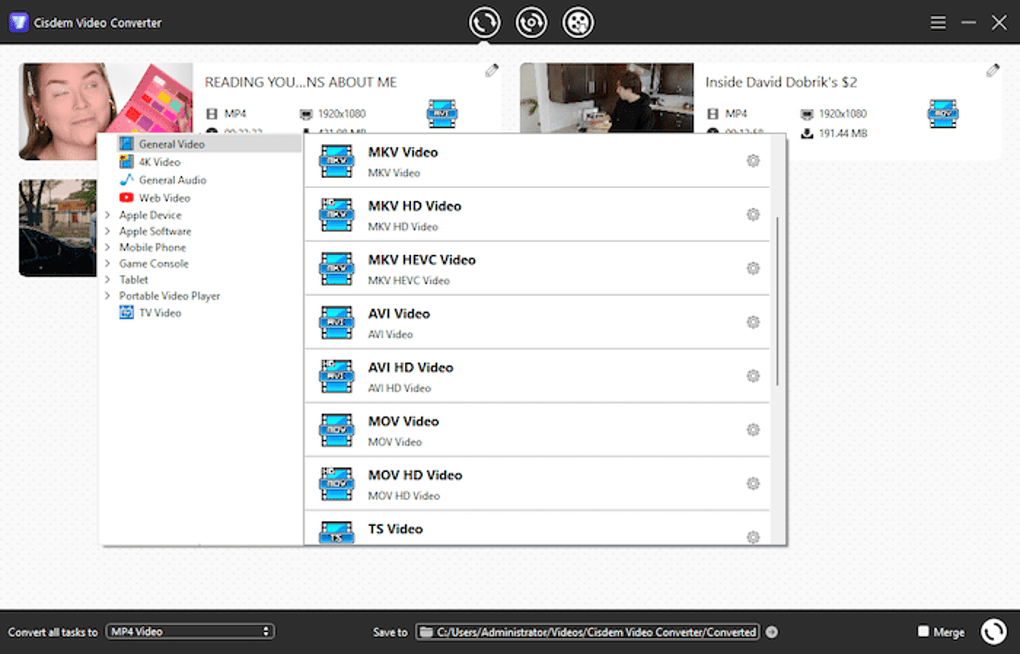
- Universal Format Support: Convert between more than 200 video and audio formats, including MP4, MKV, WMV, AVI, MOV, FLV, MP3, AAC, WAV, and FLAC.
- High‑Quality DVD & Blu‑ray Ripping: Extract movies, TV shows, and music from DVDs with options for preserving original resolution, subtitles, and audio tracks.
- Built‑In Video Editor: Trim, crop, rotate, add watermarks, and apply basic filters (brightness, contrast, saturation) before exporting.
- Batch Processing: Queue multiple files at once, set individual output settings, and let the software handle the rest.
- Secure Online Downloader: Pull videos and audio from over 1,000 websites, including YouTube, Vimeo, Dailymotion, and many music platforms, using encrypted HTTPS connections.
- Preset Profiles: Ready‑made conversion presets for iPhone, iPad, Android, PlayStation, Xbox, and streaming services like Netflix and Amazon Prime.
- Customizable Output Settings: Adjust bitrate, frame rate, resolution, and codec parameters for precise control over file size and quality.
- Subtitle Integration: Import external SRT files, burn subtitles into video, or keep them as separate tracks.
- Lightweight Installer: The setup file is under 30 MB, and the program consumes minimal RAM during conversion.
- Regular Updates: Free users receive monthly updates that add new codecs, improve stability, and expand the downloader’s site list.
Why These Features Matter
The breadth of format support eliminates the need for multiple converters, which often leads to version conflicts and wasted disk space. DVD ripping is particularly valuable for archivists who want to preserve original media without the physical disc’s wear and tear; Cisdem’s ability to keep subtitles and multiple audio tracks intact ensures a faithful backup. Editing tools, while not as advanced as dedicated editors, provide enough flexibility for quick adjustments—ideal for YouTubers or teachers creating lecture snippets. Batch processing saves time when handling large libraries, and the preset profiles guarantee that a file will play correctly on the target device without manual tweaking. Secure downloading protects users from malicious scripts that sometimes accompany free video grabbers, and the frequent updates keep the software compatible with evolving web standards. Overall, each feature works toward a single goal: making media handling as frictionless as possible for Windows users.
Installation, Setup, and Everyday Usage
Getting started with Cisdem Video Converter is straightforward. First, download the installer from the official website—look for the “Free Windows Download” button to ensure you receive the latest version. The installer is a single .exe file, typically under 30 MB, which means the download completes quickly even on modest connections. Run the file and follow the on‑screen wizard: accept the license agreement, choose an installation folder (the default path works for most users), and decide whether to create a desktop shortcut. The entire process usually takes less than two minutes.
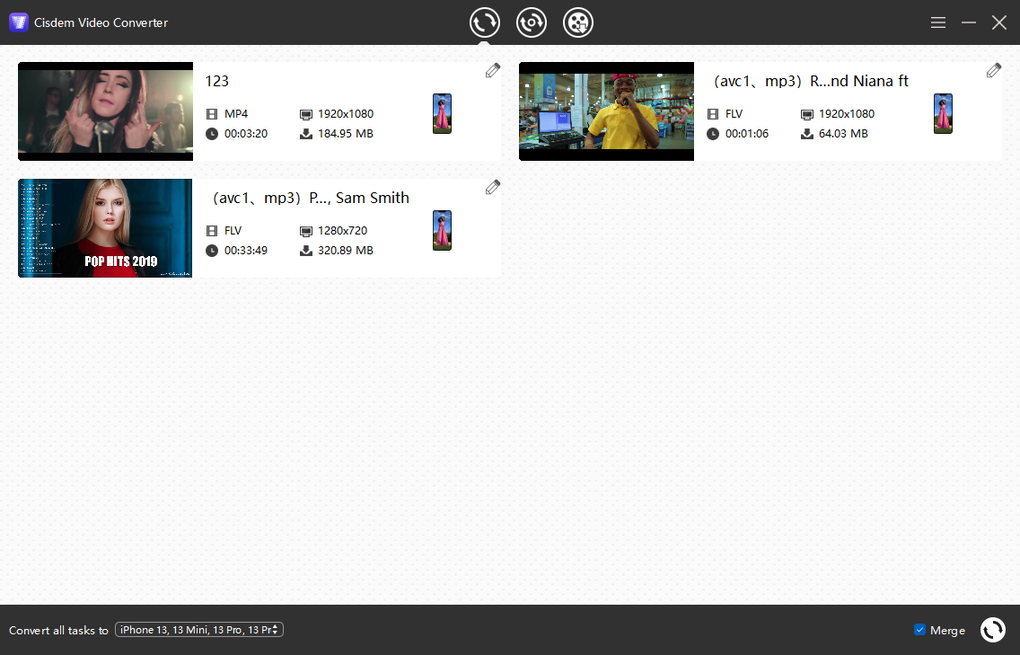
Once installed, launch the program. The main interface is divided into three tabs—Convert, Rip DVD, and Download. To convert a video, click the “Add Files” button, browse to the source file, and then select an output preset from the dropdown menu (e.g., “iPhone 13 – 1080p”). If you need custom settings, click “Advanced Options” to modify bitrate, codec, frame rate, and audio parameters. After configuring, press the “Start” button; a progress bar shows real‑time conversion status, and you can pause or cancel at any point.
DVD ripping follows a similar flow. Insert the disc, click “Load DVD,” and the software will scan the disc’s titles. Choose the title you wish to extract, decide whether to keep subtitles, and select an output format. For large discs, you can enable “Batch Rip” to process multiple titles sequentially. The extracted files are saved to the folder you specify, ready for playback on any device.
The downloader tab works by pasting a URL from a supported site into the input field. After you click “Fetch,” the program extracts available video and audio streams, presenting them in a list. Choose the desired quality (e.g., 1080p MP4) and hit “Download.” Files are saved directly to your chosen directory, and you can later run them through the Convert tab if you need a different format.
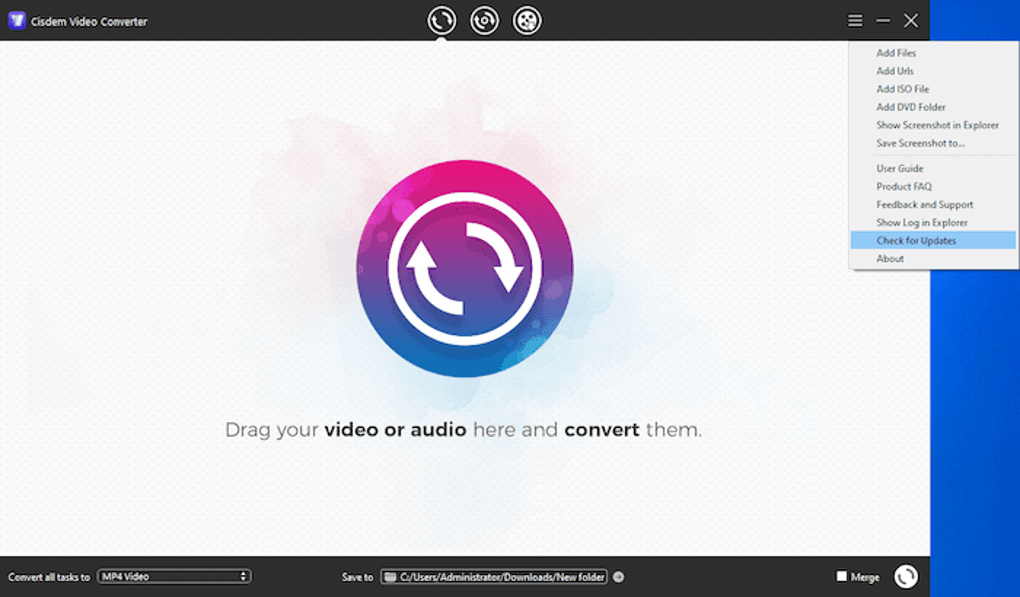
Throughout daily use, Cisdem provides helpful notifications—alerts when a new version is available, warnings if a file cannot be processed, and tips for optimal settings based on your hardware. The software also supports drag‑and‑drop, so you can quickly drop files onto the window to start a conversion without navigating menus. All these design choices aim to keep the learning curve shallow while delivering professional‑grade results.
Compatibility, Pros & Cons, and User Feedback
Cisdem Video Converter is a Windows‑only application, officially supporting Windows 10, Windows 11, and Windows 8.1 (both 64‑bit and 32‑bit builds are available). The installer detects the appropriate architecture automatically, ensuring optimal performance on modern PCs. While the tool does not have native macOS, Linux, Android, or iOS versions, the output files are universally compatible across those platforms, which means you can still use the converted media on virtually any device.
Pros
- Completely free with no hidden subscription fees.
- Extensive format support reduces the need for multiple utilities.
- Integrated DVD ripping preserves subtitles and multiple audio tracks.
- Simple, intuitive UI suitable for beginners and power users alike.
- Secure downloader that works over HTTPS and avoids ad‑ware.
- Batch processing and preset profiles speed up repetitive tasks.
- Lightweight installer and low system resource consumption.
Cons
- Limited to Windows; no native macOS or Linux version.
- Editing tools are basic; advanced users may need a separate video editor.
- Free version occasionally displays promotional banners for the paid Pro edition.
- No cloud‑based conversion, which means large files depend on local hardware performance.
What Real Users Say
Community forums and review sites consistently highlight the software’s reliability and speed. Many users appreciate the ability to rip DVDs without watermarks—a feature often locked behind paywalls in competing tools. The downloader’s breadth of supported sites also receives praise, especially from creators who need to archive online content quickly. On the downside, a small subset of users have reported occasional crashes when converting extremely high‑resolution 8K files; however, the development team usually addresses such bugs within a few weeks of the report.
“Cisdem Video Converter delivers a solid set of features for free. It’s perfect for everyday video conversions and DVD backups, though power users will still need a dedicated editor for complex projects.”
Frequently Asked Questions
Is Cisdem Video Converter really free, or are there hidden costs?
The core application is completely free. You can convert files, rip DVDs, and download media without paying. The only optional cost is the optional Pro upgrade, which adds extra presets and priority support, but it is not required for any of the main features.
Can I convert 4K or 8K video files with the free version?
Yes, the free version supports 4K resolution and can handle 8K files, though conversion speed depends on your hardware. Some users have reported occasional instability with very large 8K files, which the development team is actively fixing.
Does the DVD ripping feature remove copy protection?
Cisdem respects copyright law and does not provide tools to bypass commercial copy‑protection schemes. It can rip DVDs that are not encrypted or that you have the legal right to copy, such as personal backups of your own discs.
Is the online video downloader safe from malware?
Yes. The downloader uses HTTPS to communicate with source sites and runs all extraction locally on your PC. No third‑party ads or bundled software are installed during the download process.
What Windows versions are officially supported?
Cisdem Video Converter supports Windows 10, Windows 11, and Windows 8.1 (both 32‑bit and 64‑bit). Older versions like Windows 7 may work but are not officially guaranteed.
Conclusion – Should You Download Cisdem Video Converter?
In a market saturated with paid converters and subscription‑based services, Cisdem Video Converter stands out as a genuinely free, Windows‑focused tool that covers the essential tasks of video conversion, DVD ripping, basic editing, and secure online downloading. Its extensive format library, batch processing capabilities, and regular updates make it a practical choice for students, small businesses, and casual users alike. While power users may eventually need a more advanced editor, the free version provides more than enough functionality for everyday multimedia needs without hidden fees or intrusive ads.
If you are looking for a reliable, secure, and straightforward way to manage your media library on Windows, download Cisdem Video Converter today and start converting, ripping, and downloading with confidence. The lightweight installer ensures a quick setup, and the user‑friendly interface means you’ll be productive from the first click. Give it a try—your video workflow will thank you.
Guides & Tutorials
How to install Cisdem Video Converter
- Click the Download button above.
- Once redirected, accept the terms and click Install.
- Wait for the Cisdem Video Converter download to finish on your device.
How to use Cisdem Video Converter
This software is primarily used for its core features described above. Open the app after installation to explore its capabilities.
User Reviews
No reviews yet. Be the first to share your experience.
You may also like
more
Llama 2
Free-to-use large language model As the new addition to Meta’s arsenal of langua...

NotebookLM
Revolutionizing the note-taking and idea-generation process NotebookLM is an exp...

Github co pilot
AI-inspired software development and coding platform GitHub Copilot is a browser...

Google Gemma
Google’s lightweight AI models Introducing Google Gemma , a family of cutting-ed...

AI Image Enlarger
A free app for Windows, by ai-image-larger. AI Image Enlarger is a free software...

DALL E
AI-driven text-to-image transformation engine DALL·E is a free graphic and desig...